A link for the request.
The link gives access to that questionnaire. Keep it private and share it only with people authorized to respond.
PropLegal · Connecting law firms and property managers
Save time for law firms and property managers.
Clients and partners told us how much time goes into chasing questionnaire responses and handling back-and-forth emails. We built PropLegal to make that process simpler — from the first request to a prepared document. Your firm keeps the legal judgment.
Built by Attain Concepts, with 25+ years in technology and cybersecurity.
A clearer picture.
All in one place.
Unit sale · Example matter
“Please confirm the period covered by the attached rent roll.”
Suggested follow-up · for your firm's reviewINSIDE PROPLEGAL
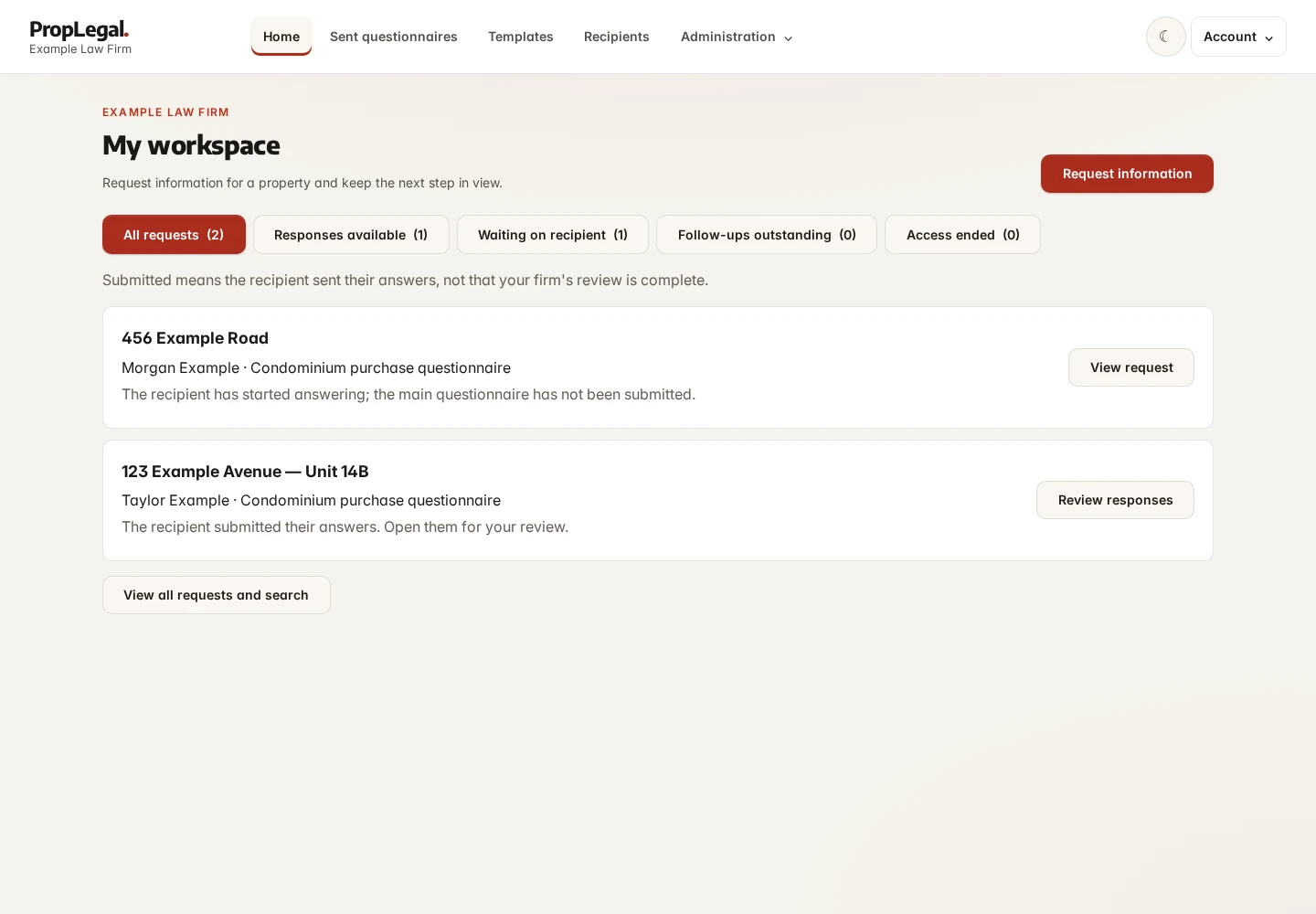
A workspace for your firm.
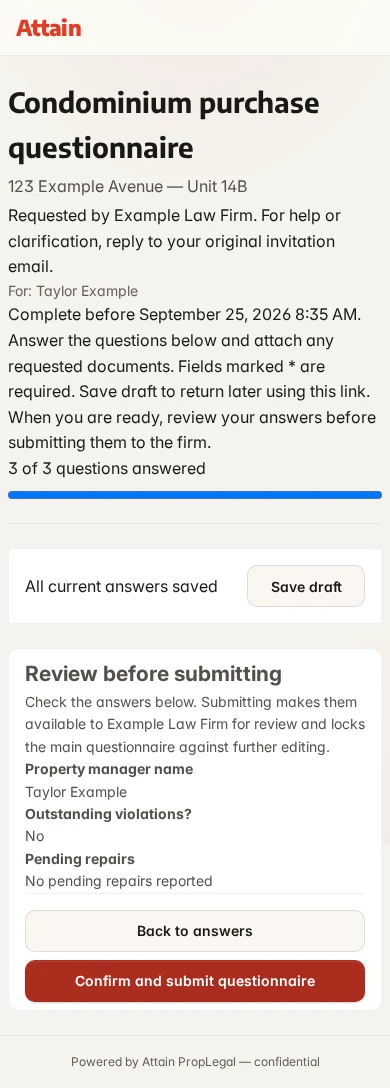
A straightforward request for the manager.
 View larger
 For your legal team
Due diligence without the administrative drag. PropLegal coordinates questionnaires, follow-ups and supporting documents so your team can focus on legal analysis and keep the matter moving.
Designed for the person answering, too
Due diligence is one more task in an already busy day. Help managers and assistants respond without unnecessary questions or scattered attachments.
Built by Attain Concepts, with 25+ years in technology and cybersecurity.
Watch “Yes” reveal the related detail question.
 View larger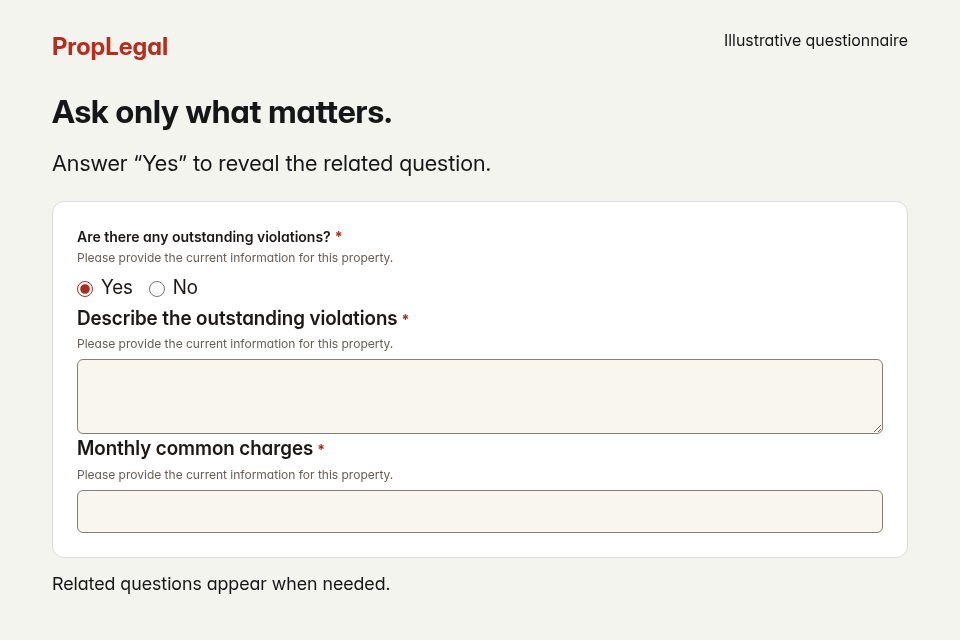
01 / THE BOTTLENECK
The Word attachment. The missing answer. The follow-up to the follow-up.
When a sale is time-sensitive, every extra round of emails can add delay. Chasing updates, clarifying answers and re-keying information uses time on both sides — just when the sale needs to keep moving.
PropLegal gives your firm a structured way to collect the answers, review gaps and keep the matter moving—without asking the property manager to learn another system.
The familiar way
Attachments. Reminders. Re-keying.
The PropLegal way
One link. A visible trail. Answers you can use.
02 / ONE CONNECTED WORKFLOW
Your firm's process stays yours.
PropLegal connects the steps.
Build from your firm's standard questions, with fields and conditional questions that fit the matter. Keep internal questions just for your team.
Reusable questionnairesThe property manager opens a secure link, saves progress and submits when ready. No recipient account. No software to install.
A simpler recipient experienceSet your firm’s reminder schedule and attorney escalation threshold. PropLegal follows up on outstanding questionnaires and unanswered follow-up questions, while your team tracks progress.
Automatic follow-up, with your team informedReview answers and suggested follow-ups together. Merge responses into your firm's Word template, ready for your review.
Your document, populated View larger
 03 / PUT A VALUE ON THE TIME
Start with the work—not a percentage.
Estimate the time your process could give back.
Illustrative assumptions · not measured customer results
Change the example below to fit your firm. Enter minutes you think you could save, not the total time each task takes. You can enter zero for steps you would not use.
Enter whole numbers within the field limits: 0–10,000 questionnaires, $0–1,000 per hour, and 0–480 minutes per task.
Calculated in your browser. These figures are not submitted to us.
04 / SECURITY & ACCESS
A secure link.
No software to install.
Property managers respond in their browser, with answers and documents protected as they’re sent. Built by Attain Concepts, with 25+ years in technology and cybersecurity.
The link gives access to that questionnaire. Keep it private and share it only with people authorized to respond.
Your firm can revoke access if a link reaches the wrong person. Initial questionnaire links expire; submitted requests can remain available for follow-up until access is revoked.
Managers provide answers and documents. Your authorized team reviews the response, asks for clarification and prepares the matter documents.
A FEW PRACTICAL QUESTIONS
Your process, your documents, your decision.
Your firm can enable reminder copies, make them optional or turn them off. When optional, the person who sent the request can choose to receive copies at their sign-in email address. Copies keep you informed; they are not confirmation that the recipient has received or read the message. Track progress in the request’s history and use attorney escalation to identify requests that need attention.
No. They open the secure questionnaire link, save the main questionnaire as a draft if needed, and submit their responses. Unsubmitted follow-up answers currently stay only in the open page. There is nothing to install or sign up for.
Yes. Build questionnaires from your firm's questions and use your own .docx templates for document merge. Internal-only fields stay with your team.
Your firm can review the response in context and send focused follow-up questions linked to the original answer. Your team decides what needs clarification.
No. The core workflow does not require a language model. Your firm can use rules-only checks or enable optional AI-assisted suggestions. Review what information will be sent before enabling a model. Suggestions support attorney review; they do not replace legal judgment.
No. You can build and publish a questionnaire without uploading a Word document. Add a .docx template when you want to populate your firm’s document from the answers.
Start with a representative questionnaire, without confidential client information. In the demo, walk through sending it, answering as a property manager, reviewing the responses and preparing an output. We can discuss configuration and pricing for your process.
A walkthrough of the workflow—from preparing a questionnaire and the recipient experience to reviewing responses and merging a Word document. We can discuss how it fits your firm's process.
See the difference in the details
See how your firm can follow up consistently, make responding easier for property managers and prepare documents from the answers. Bring a representative questionnaire without confidential client information.